One assistant for your customers, one portal for your team, and one Telegram chat for the owner. Each feature is marked with its real status. Features still to come are listed at the end, separately.
Available working now, in a pilotNeeds Meta approval built and tested; Meta must approve it before the general public can use itTelegram / API only no portal screen yet
Business knowledge
Answers from your information, not from guesswork. Available
SalesMere reads your website and uses the answers you write yourself for the questions customers ask most. Your own answers come first. Products, projects and services live in a product list with their prices.
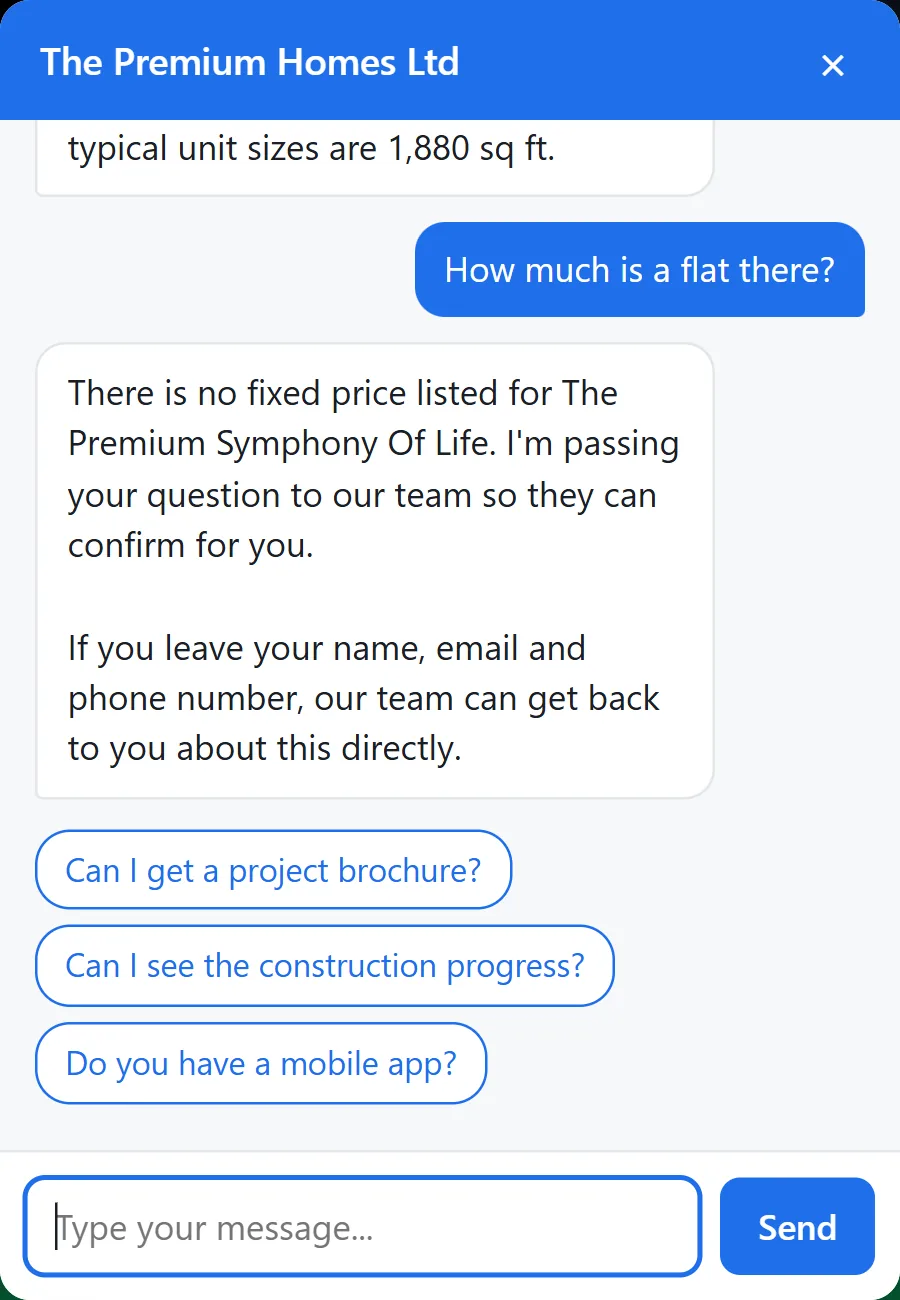
Prices only from your product list. If an item has no price, the assistant says it cannot confirm one and passes the question to your team.
Only confirmed details. Your address, opening hours and similar facts are told to customers only after you have confirmed them.
Facts are looked up, not written by the AI. Prices, stock and order status are read from your records and shown as they are. The AI only phrases the rest.
Never "sold out" unless you said so. Stock you haven't entered is unknown, not zero: the assistant won't turn a customer away, and the order page still takes the order for you to confirm.
Links that work on every channel. Order pages and other links reach customers intact on the website chat, Messenger, WhatsApp and Telegram.
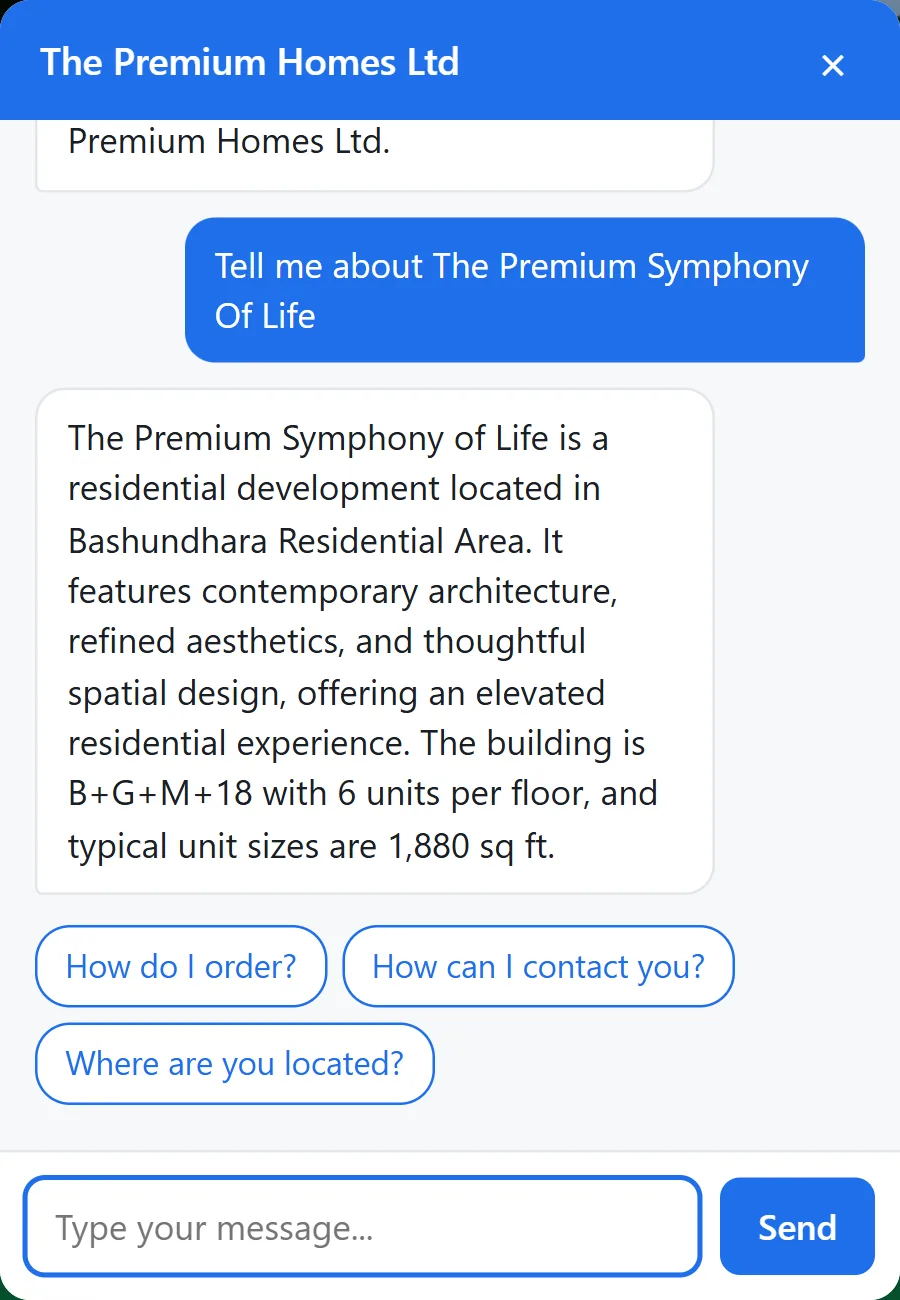
No price in the list, so no price in the answer. Project facts come from the website.
Channels
The same assistant on every channel.
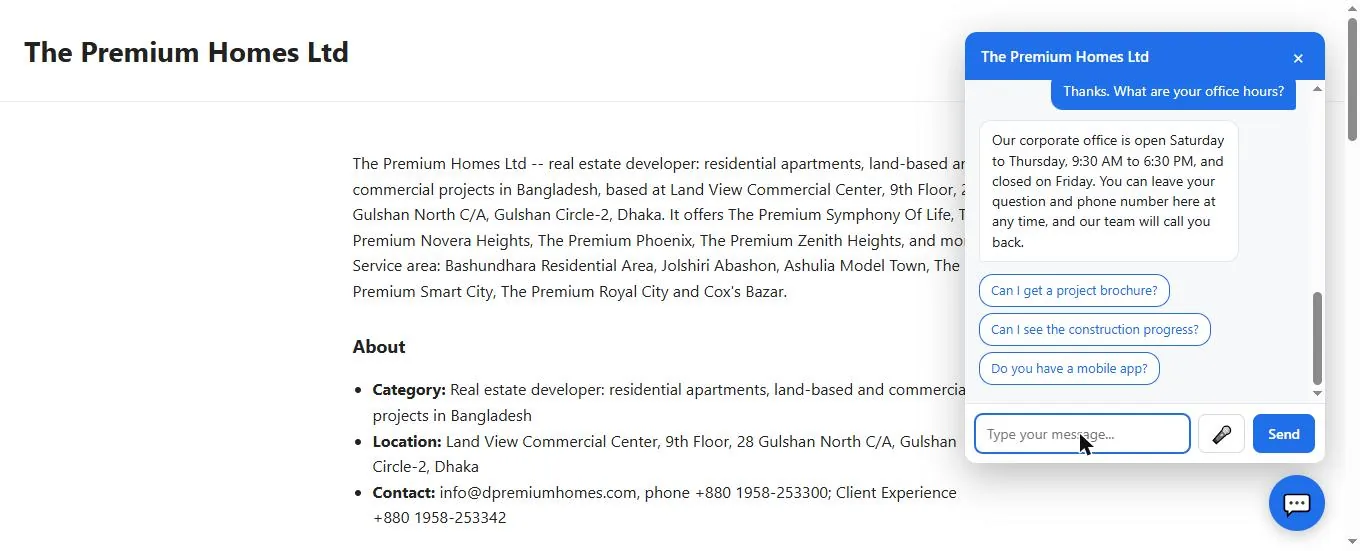
Website chat: one line of code for your web designer, and the chat bubble appears on your site. You choose which websites may show it. Available
Your own chat page: a public page at siteiq.space/c/your-business that you can share anywhere, even without a website. Available
Voice: customers can press the microphone on the website chat and speak in Bangla or English. What they say is turned into text; no recording is kept. Available
Telegram: connect your own Telegram bot in the portal, and customers who message it get the same assistant. Available
Instagram: comments and direct messages on your business account, answered the same way Needs Meta approval
YouTube: a public reply to new comments on your videos, with your top products and a link to your chat (YouTube has no private messages). Needs Google's approval of SalesMere for businesses outside our test list.
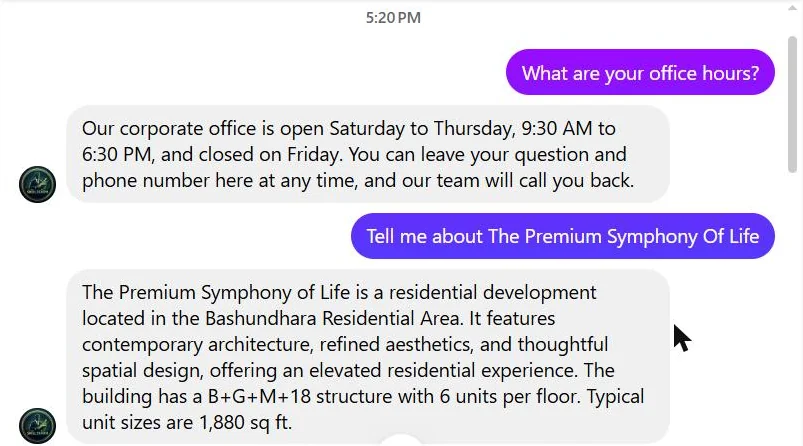
Facebook Messenger: the assistant answers your Page's Messenger inbox, and stops when someone from your team replies there. Needs Meta approval
WhatsApp: the assistant answers on your WhatsApp Business number through Meta's Cloud API, set up for you by SalesMere. Needs Meta approval
All at once: a comment under your post and a Messenger message arriving together are answered side by side; one slow answer never holds up the others.
About Messenger and WhatsApp. Both work today for accounts we add to SalesMere's Meta app for testing. Before any business can use them with the general public, Meta has to approve SalesMere's app, and we have not submitted it for review yet. For WhatsApp you also need a WhatsApp Business account and number. Meta's rules apply: a business may reply freely only within 24 hours of the customer's last message, and Meta may charge for WhatsApp conversations.
A business's own chat page, shareable without a website.The same assistant on Facebook Messenger.
Human hand-over
The assistant knows when to step aside. Available
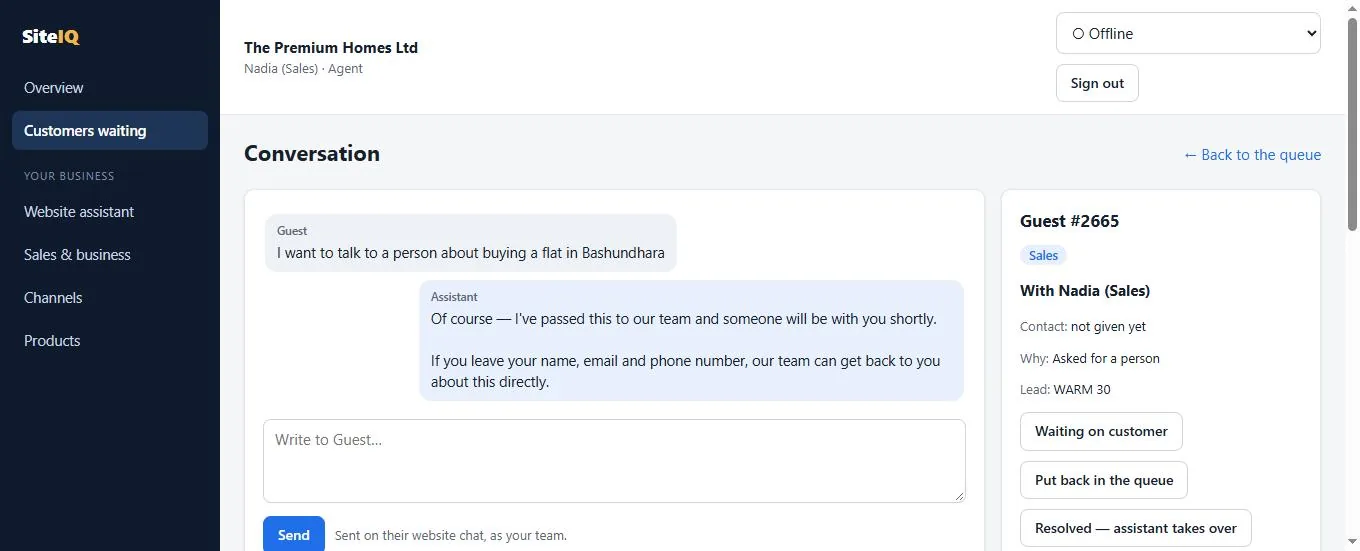
A customer is handed to your team when they ask for a person, want to talk about price or a discount, complain, ask something the assistant cannot answer, or are ready to buy. Each reason goes to the department you chose for it.
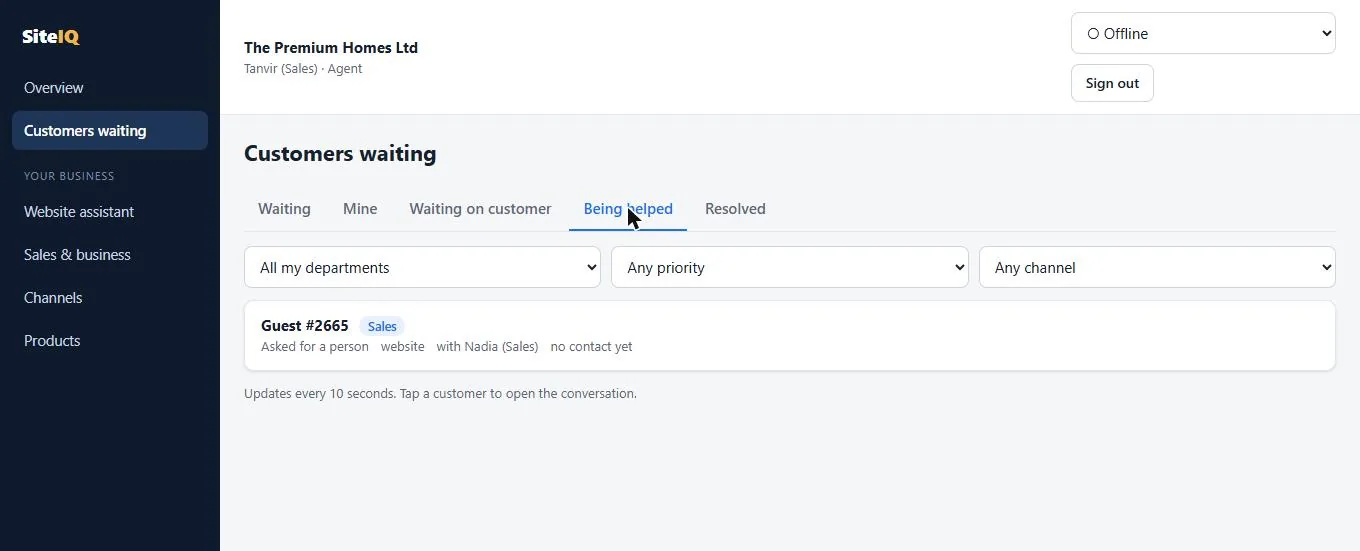
One-click claim, one owner. If two colleagues press Claim at the same moment, only one gets the customer; the other sees who has it.
The assistant keeps helping while the customer waits, and tells them their request is with the team.
It goes quiet once a person joins. When your colleague is done, they hand the conversation back to the assistant.
3-minute reply rule. If the person holding a customer doesn't answer for 3 minutes, the customer goes back to the queue, the department is alerted, and the assistant replies in the meantime.
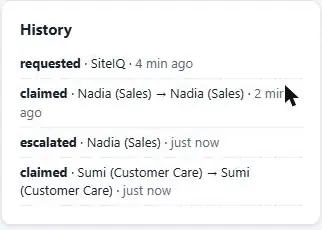
A full history of who claimed, moved, released and resolved each customer.
Nadia from Sales has claimed the customer.Her colleague sees the customer is already being helped.Every step is recorded.
Team portal
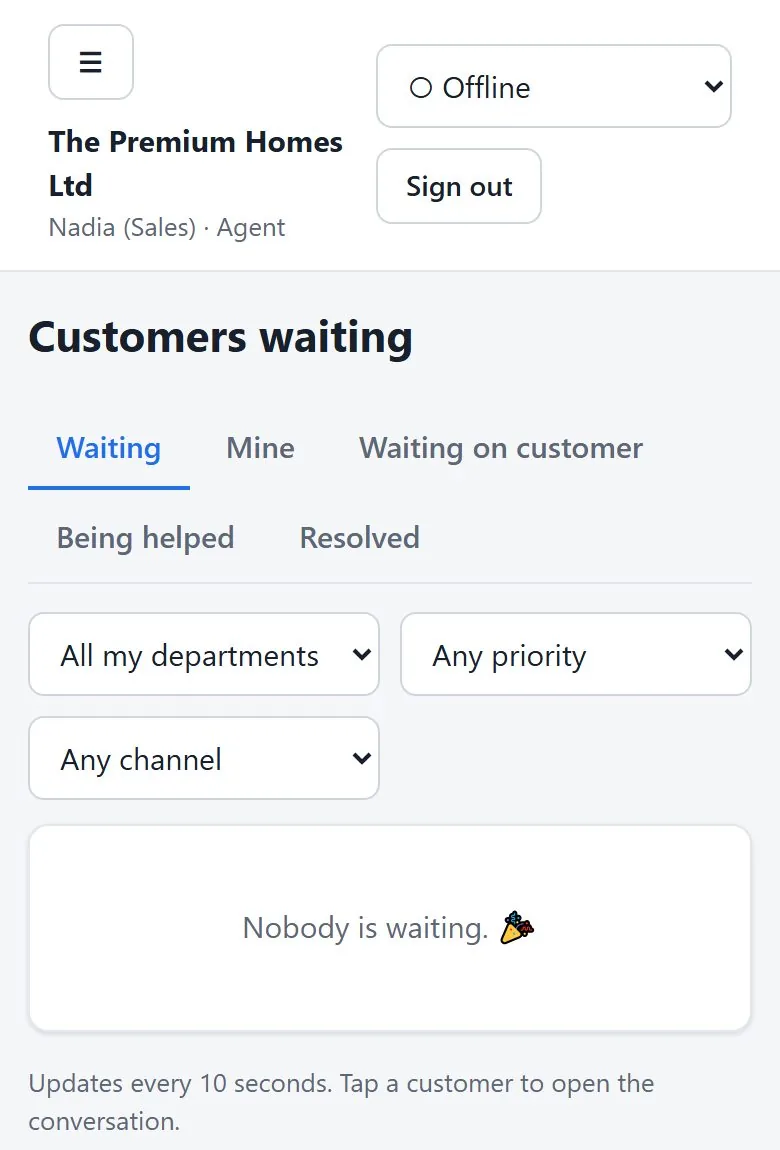
A shared queue your whole team can work from, on a computer or a phone. Available
The portal runs in the browser and installs on a phone like an app (Add to Home Screen), with notifications when a customer is waiting. It shows who is waiting, who is being helped and what was resolved, with filters by department, priority and channel.
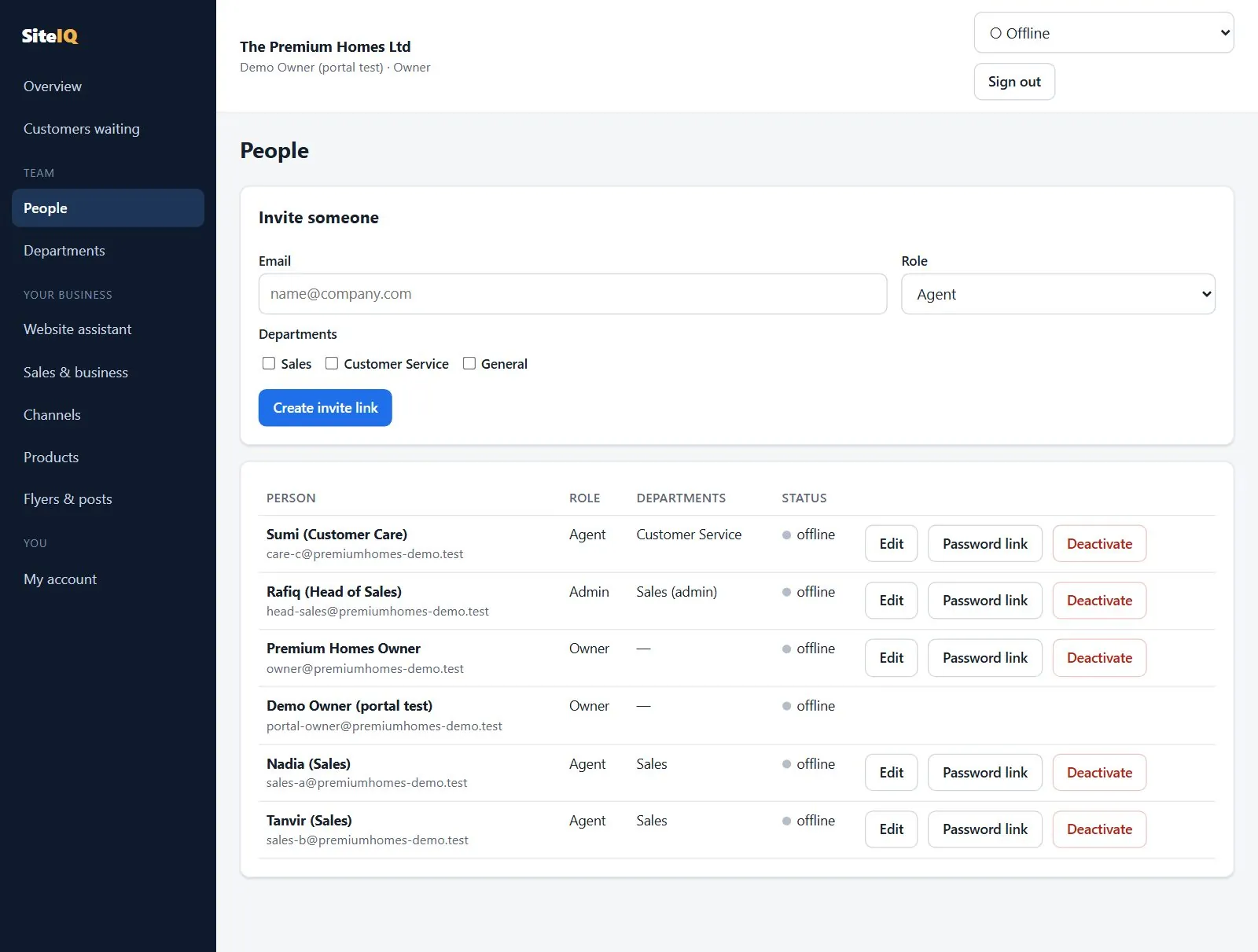
Five roles: Owner, Admin, Manager, Agent and Viewer. Agents see the queues of their own departments; viewers can look but not act.
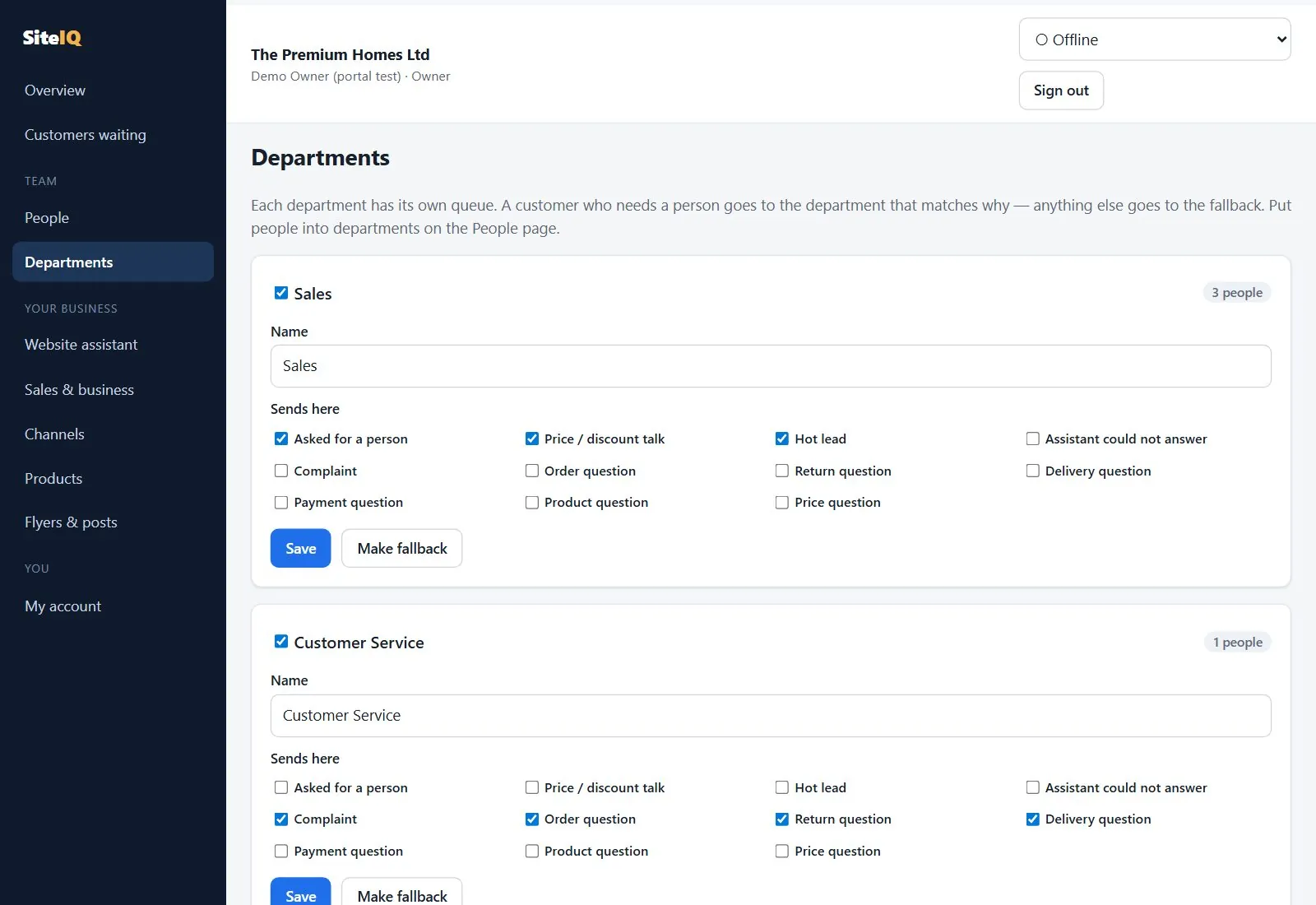
Departments such as Sales and Customer Care, each with the hand-over reasons it handles.
Invite by link. There is no public sign-up, so outsiders cannot join your team.
Settings in one place: greeting, voice, allowed websites, selling style, business details and products, in a menu grouped by task with a search box and five colour themes.
Telegram alerts for each person, with a Claim button.
Invite colleagues and choose their role and departments.
Departments and their reasons.The queue on a phone.
Leads
Know who is ready to buy, and why. Available
Every conversation gets a lead score and a sales stage from a fixed set of rules, never from the AI's opinion. The same conversation always gets the same score, so you can see exactly why a lead is warm or hot.
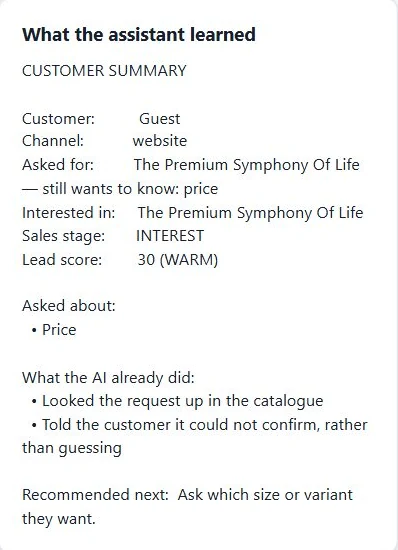
A summary for your team: what the customer asked for, what the assistant already did, and the recommended next step
Customer contact details captured when they leave them
Hot leads alerted to the owner on Telegram
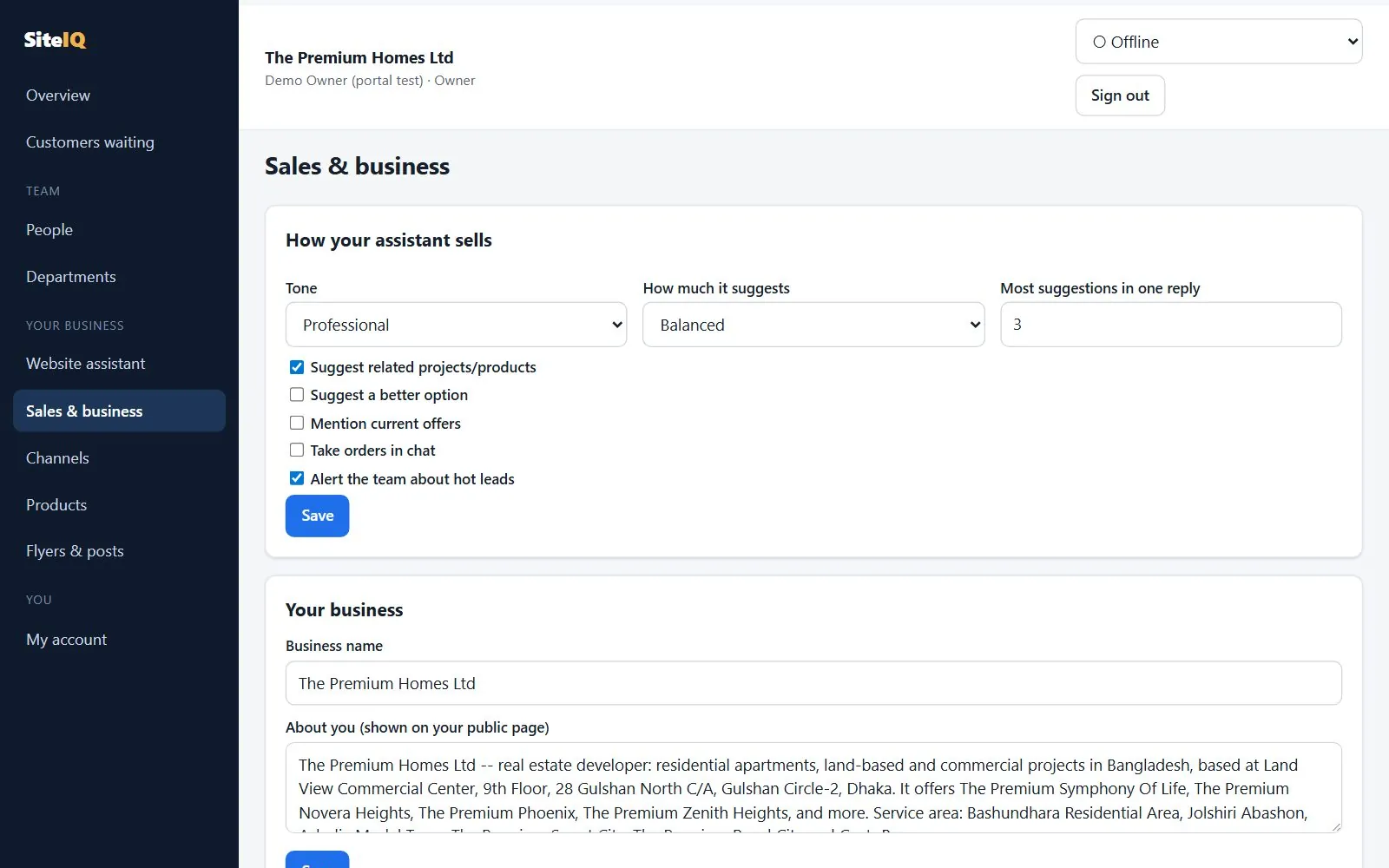
Selling style you control: tone, how much it suggests, related items and current offers
What your team sees about each customer.You set how the assistant sells.
Owner assistant
Run the shop from Telegram. Available
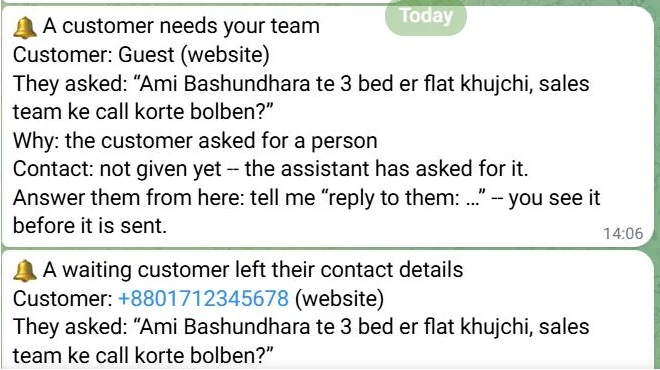
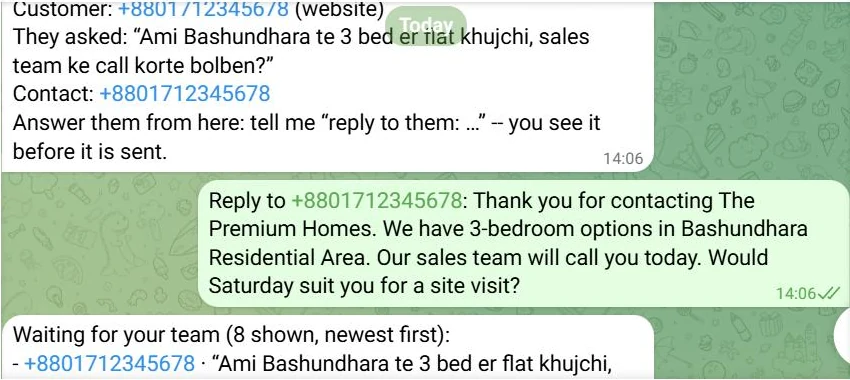
The owner chats with SalesMere's own assistant on Telegram. It alerts you when a customer needs your team, when a hot lead appears and when a waiting customer leaves their contact. You can list who is waiting, answer a customer by replying to the alert, and propose a new FAQ answer for customers.
Reads, such as "who is waiting?", happen straight away
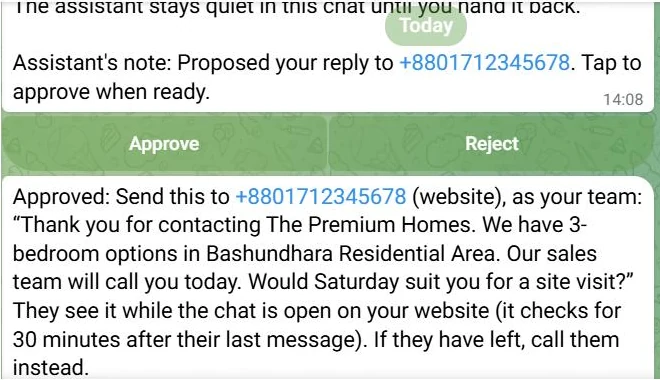
Anything that changes your business is a proposal you approve with a tap
Each colleague links their own Telegram; agents get a simple mode with no AI in the loop
1. An alert: a customer needs your team.2. The owner answers the customer from Telegram.3. Nothing is sent until the owner taps Approve.
Orders, returns and tickets
The after-sale questions, answered from your records. Orders in the portal
SalesMere keeps orders, return and exchange requests, and support tickets. Customers can ask where their order is, and the answer comes from the order record. The owner can manage them from Telegram, and every change needs approval.
Limits today: orders have a portal page (stages, notes, invoices, exports); returns and tickets are still handled through the owner assistant on Telegram and SalesMere's API. Courier connections (Steadfast, Pathao, RedX, eCourier, with your own keys) and a WooCommerce product sync are built but have not been run against a live courier or shop. Online payment is described above.
What is included
Order status answered from the order record
Return and exchange requests
Simple support tickets (not a full helpdesk)
Owner approval for every state change
Social commerce
From a Facebook comment to a paid order, with you in control. Available
Tag your Facebook posts with the products they show. When someone comments "price?" or "XL ache?", they get one private Messenger reply with the price from your product list and the sizes in stock Needs Meta approval. When they want to buy, the assistant sends a private order page: they choose the size and quantity, see the total, and pay online or choose cash on delivery.
The same on your website chat, Facebook Messenger, WhatsApp and Telegram
"Anything cheaper?", "other colours?", "for kids?" answered with real products in stock
The total always comes from your product list; the customer cannot change it
The order page the customer gets.Paid, and confirmed with the payment provider.
Payments
bKash, Nagad, Rocket and cards, into your own account. Test mode until your EPS account is approved
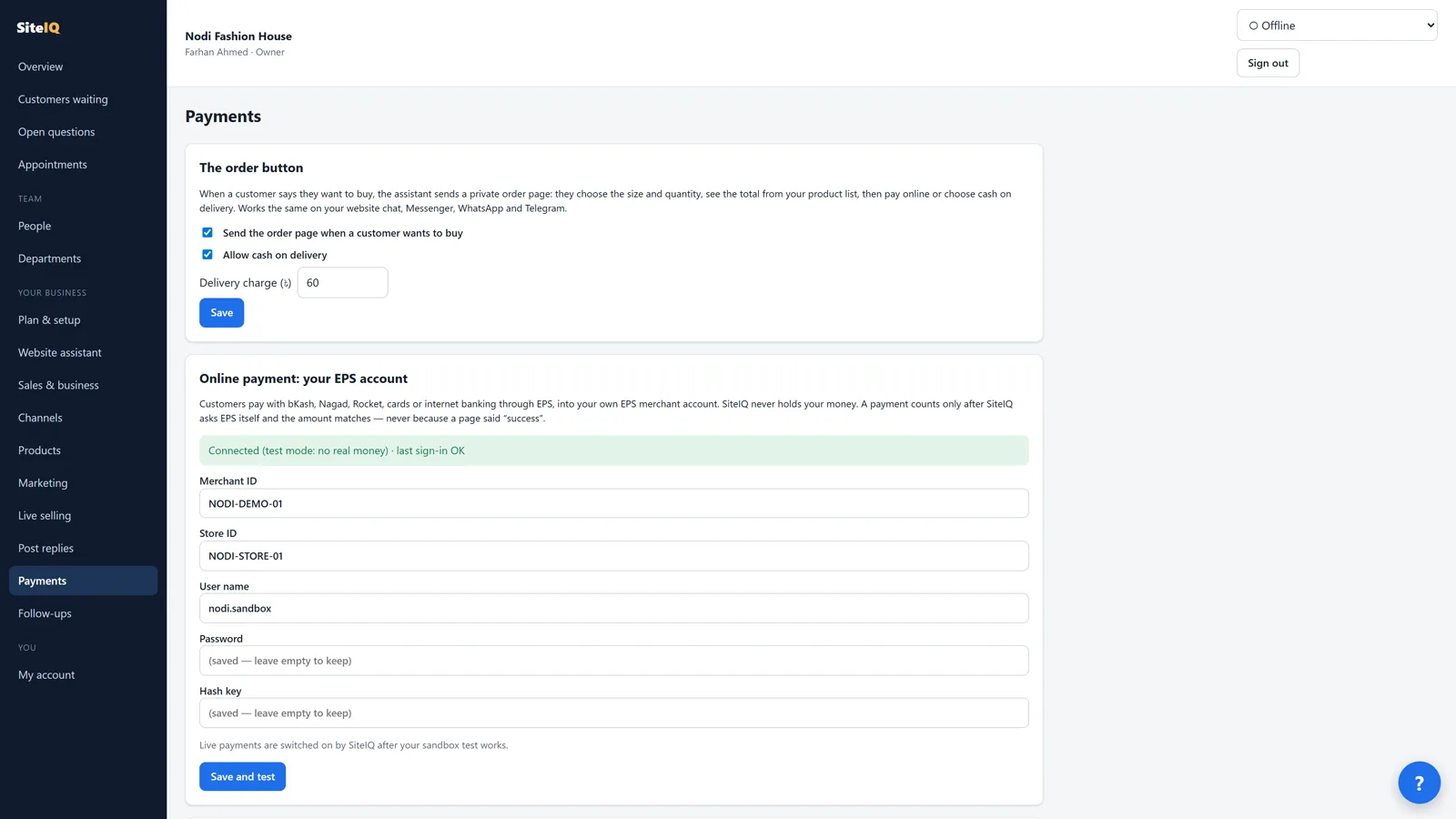
Online payment runs through EPS (Easy Payment System) on your own EPS merchant account, so SalesMere never holds your money. A payment counts only after SalesMere checks it with EPS itself and the amount matches, never because a page said "success". You see every payment in the portal and get a Telegram message when one arrives.
Limits today: each business needs its own EPS merchant account (apply at eps.com.bd). It starts in EPS's test mode; live payments are switched on per business after the test works. Refunds are made in the EPS merchant panel. SalesMere's commission is recorded for a monthly statement and is never taken from your payments.
Payments in the portal.
Ask the shop
When the assistant doesn't know, it asks you, and keeps the customer. Available
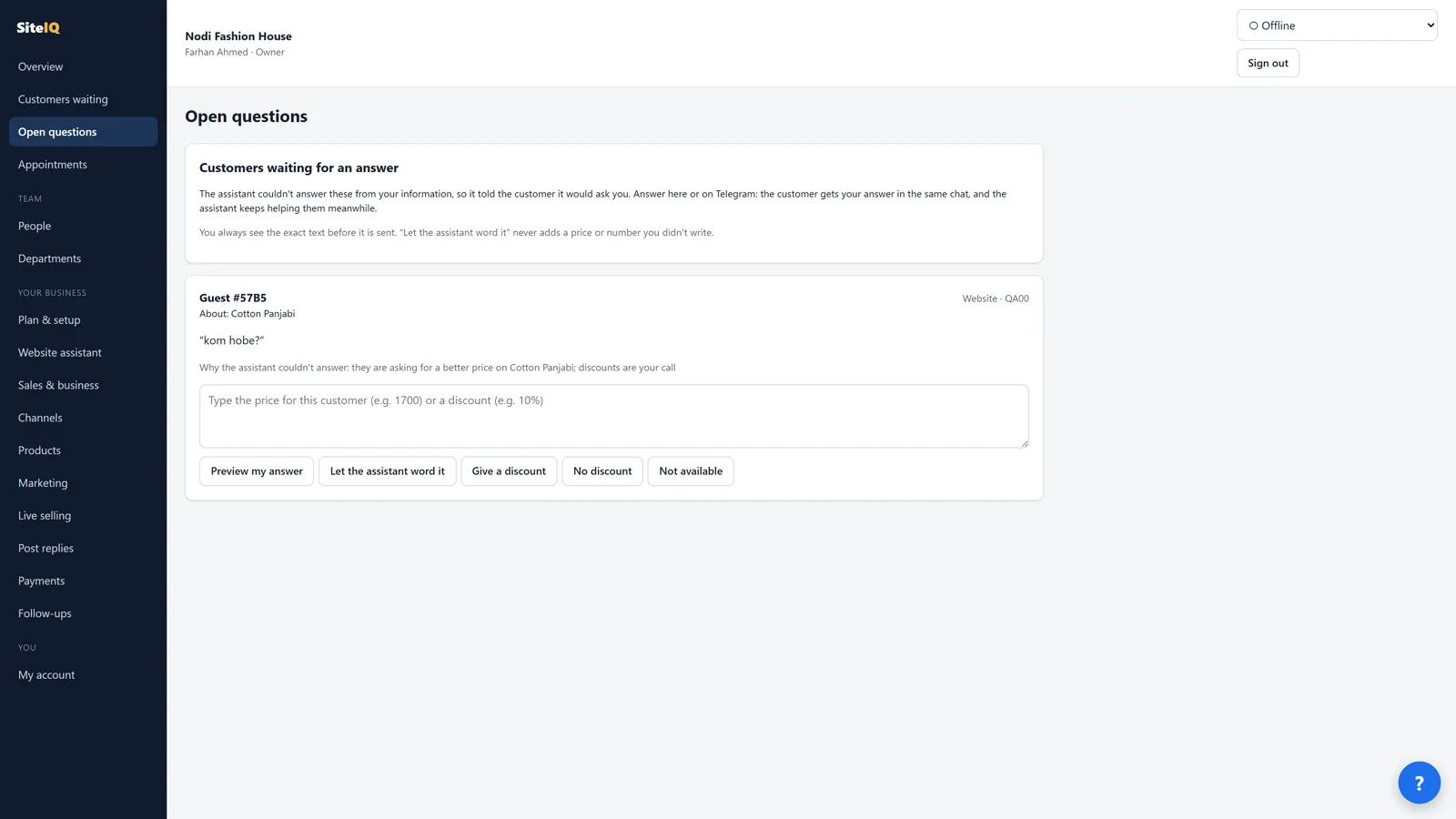
A product with no price, a question your information doesn't answer, or a customer asking "kom hobe?": the assistant tells them it has passed the question to you and keeps helping them meanwhile. You get one Telegram card: answer in your own words, let the assistant word it, set the price (saved to your product list), give a discount for that customer, or take the chat yourself.
You see the exact text before anything is sent
The assistant's wording is refused if it adds a number you didn't write
A discount is for that customer only, unless you make it the new price for everyone
A discount request, waiting for your decision.
Your discount, your rules
The assistant offers the discount you allowed, and no more. Available
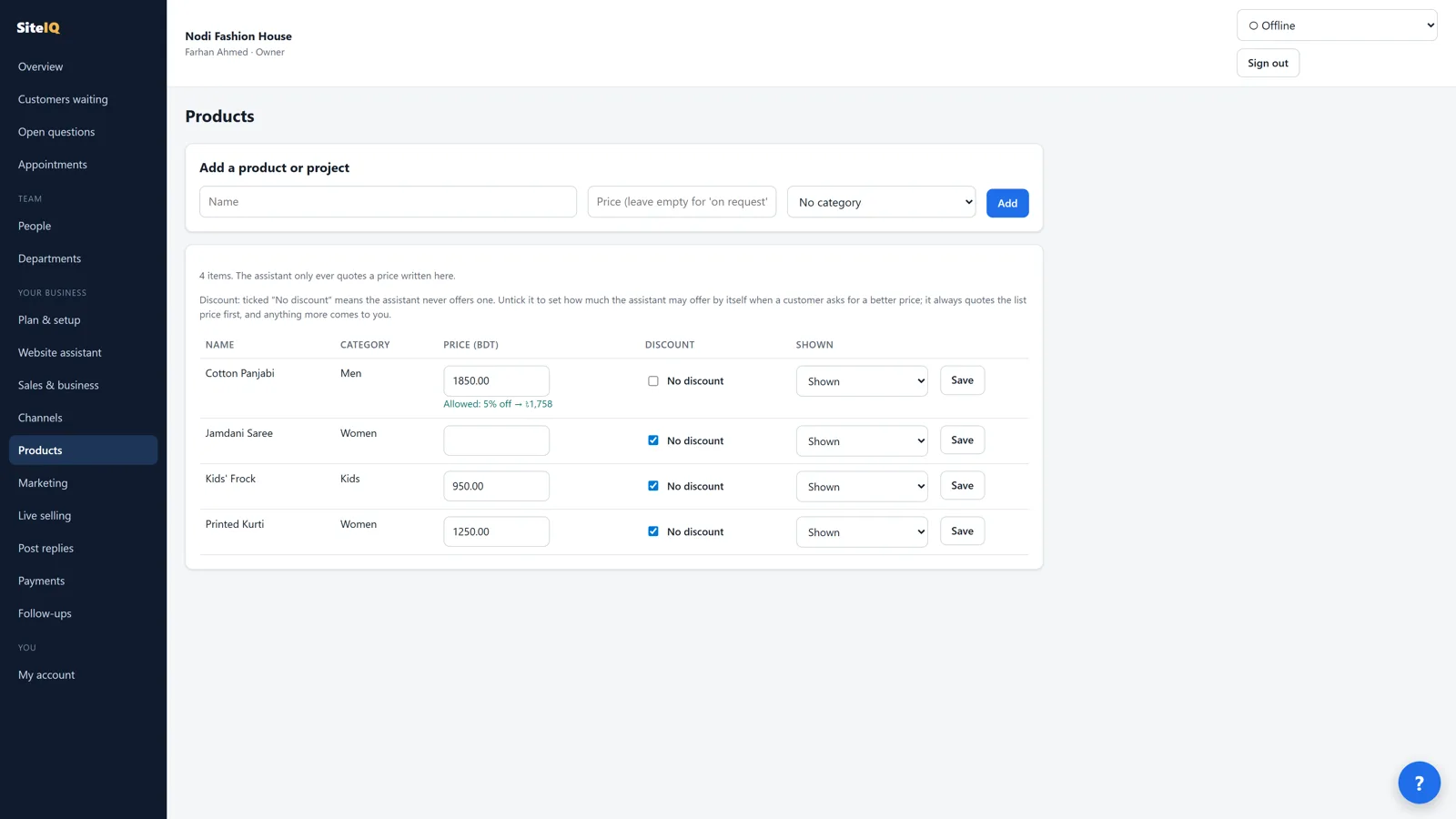
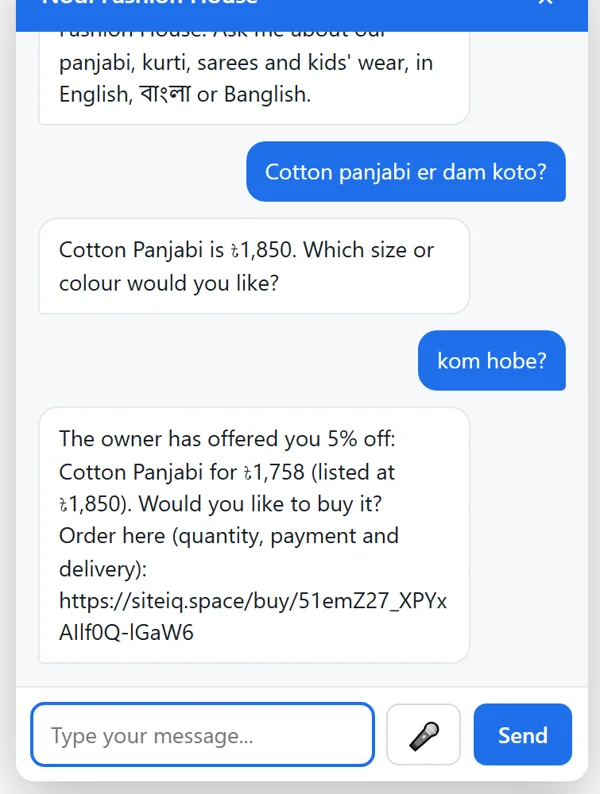
Every product starts with "No discount" ticked. Untick it and say how much the assistant may offer, as a percent or in taka; it shows beside the price. The assistant always quotes the list price first. When a customer says "kom hobe?" or "too expensive", it offers your discount itself, with the order button, and that is the price their order page charges. If they want more, it comes to you on Telegram.
Set it on the Products page, or from Telegram right after you set a price
Offered once per customer and product, never invented
Tick "No discount" again any time
The discount you allow, beside the price.List price first, then your offer.
Setting up
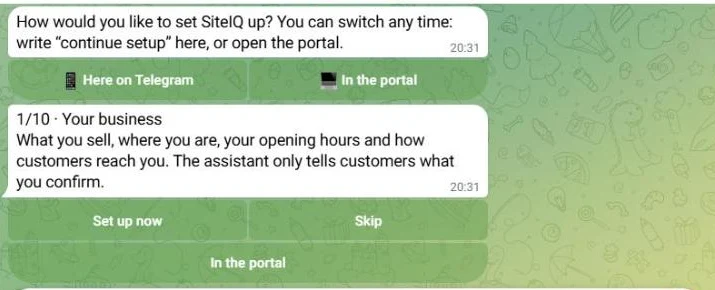
Set up on Telegram, step by step, or in the portal. Available
When you link your Telegram, SalesMere asks how you want to set up. On Telegram it walks you through your business, products, website chat, Facebook Page, marketing, the order button, appointments, your team and follow-ups, one step at a time: set it up now, skip it, or open it in the portal. Anything that needs a password, like your EPS account, is done in the portal, never typed into a chat.
Write "continue setup" any time to pick up where you left off
Prefer the portal? You get its pages with links, in a sensible order
Your choice, right after linking Telegram.
Appointments
Viewings, visits and bookings, confirmed by a person. Available
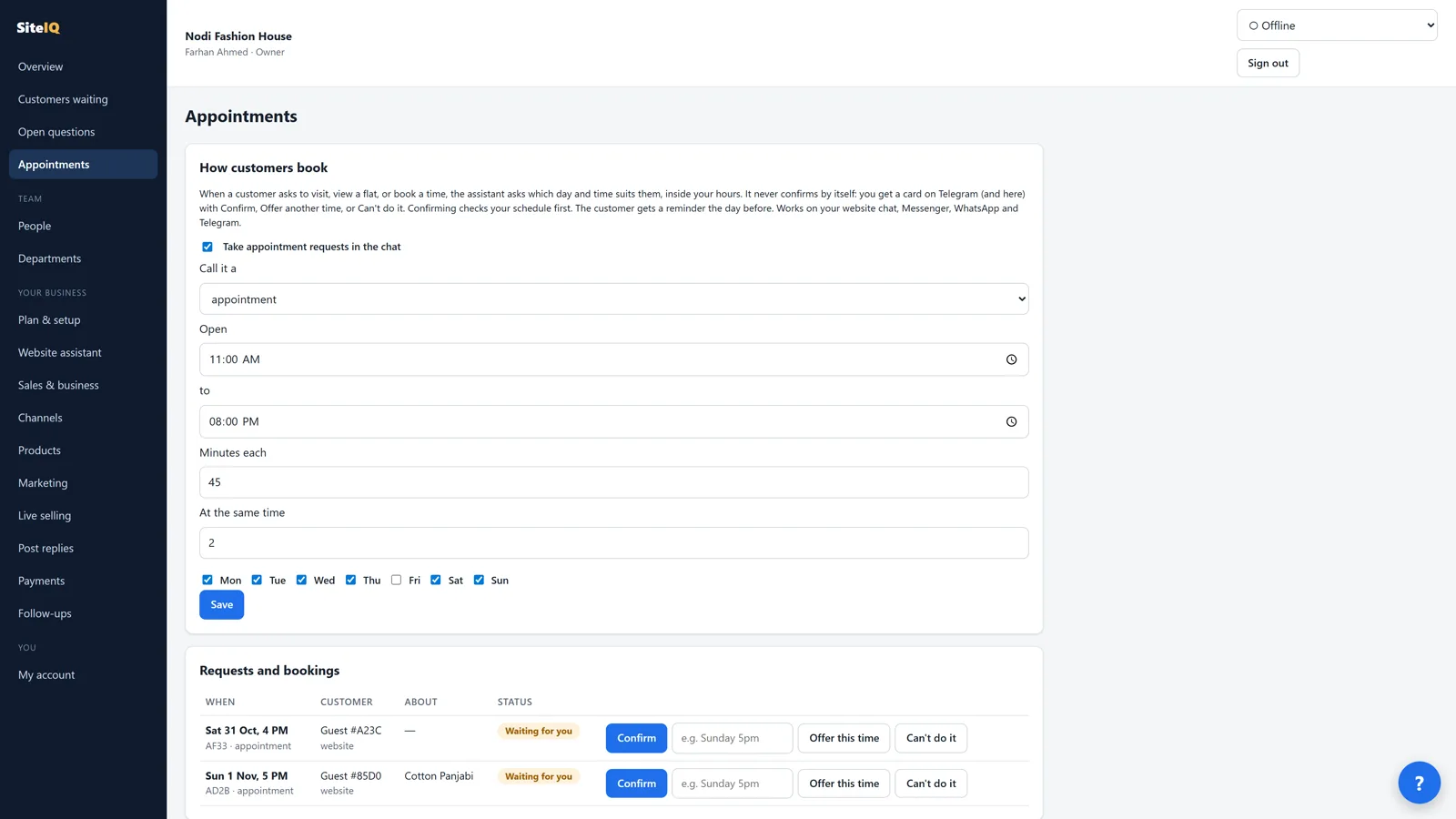
When a customer asks to see a flat, visit the shop or book a time, the assistant asks which day and time suits them, inside your hours, in Bangla, Banglish or English ("kal bikel 4ta" works). It never confirms by itself: you tap Confirm, offer another time, or say you can't. Confirming checks your schedule for clashes, and the customer gets a reminder the day before.
Your days, hours, length of each appointment and how many at once
The same card on Telegram and in the portal
Afterwards, mark whether it happened
Appointment requests in the portal.
Pictures and product cards
Your products shown as pictures, not just words. Available
Every product can have a picture: a relevant photo found for it, or an AI drawing, which you can replace with your own at any time. In the chat, a question about your catalogue can answer with a row of swipeable product cards, and a customer who sends a photo is shown the matching products with the prices from your list.
Cards with size and colour choices, a quantity and an Add to cart that opens your order page, already filled in
"Show me your catalogue" or "do you have a pump?" answered with cards, from your own product list
Two photos sent together give two matches to choose from
Cards are switched on in Chat rules, per business; the website chat shows a carousel and Messenger a card strip
Two photos, two matches (32 s, sample products).
Website builder
A website for your business, drafted from your Facebook Page. Available
For a business without a website, or with a weak one. SalesMere reads your connected Facebook Page and your products and drafts the pages from those facts. You edit by chatting ("make the hero shorter", "use green") or by hand, pick a look, add your own logo and pictures, and see it privately before you publish.
Written from your facts only: a number the AI adds that is not in your facts is discarded
One page or separate pages, six starting looks, phone, tablet and computer previews
Go back to any earlier version; download the whole site as a zip
One-click Google improvement: page title, description, picture descriptions and structured data
Each person gets 3 AI uses a day free, then a few taka each from topped-up credit; a Premium designer costs more, and plain colour and font changes are free
Not available yet: your own domain name, forms and online orders on the site
How it starts
Connect your Facebook Page (the SalesMere team can send you a one-time link on WhatsApp to do it) Needs Meta approval
Add your products in the portal
Press Build, then adjust it by chat
Content
A flyer from one sentence, in Bangla or English. Available
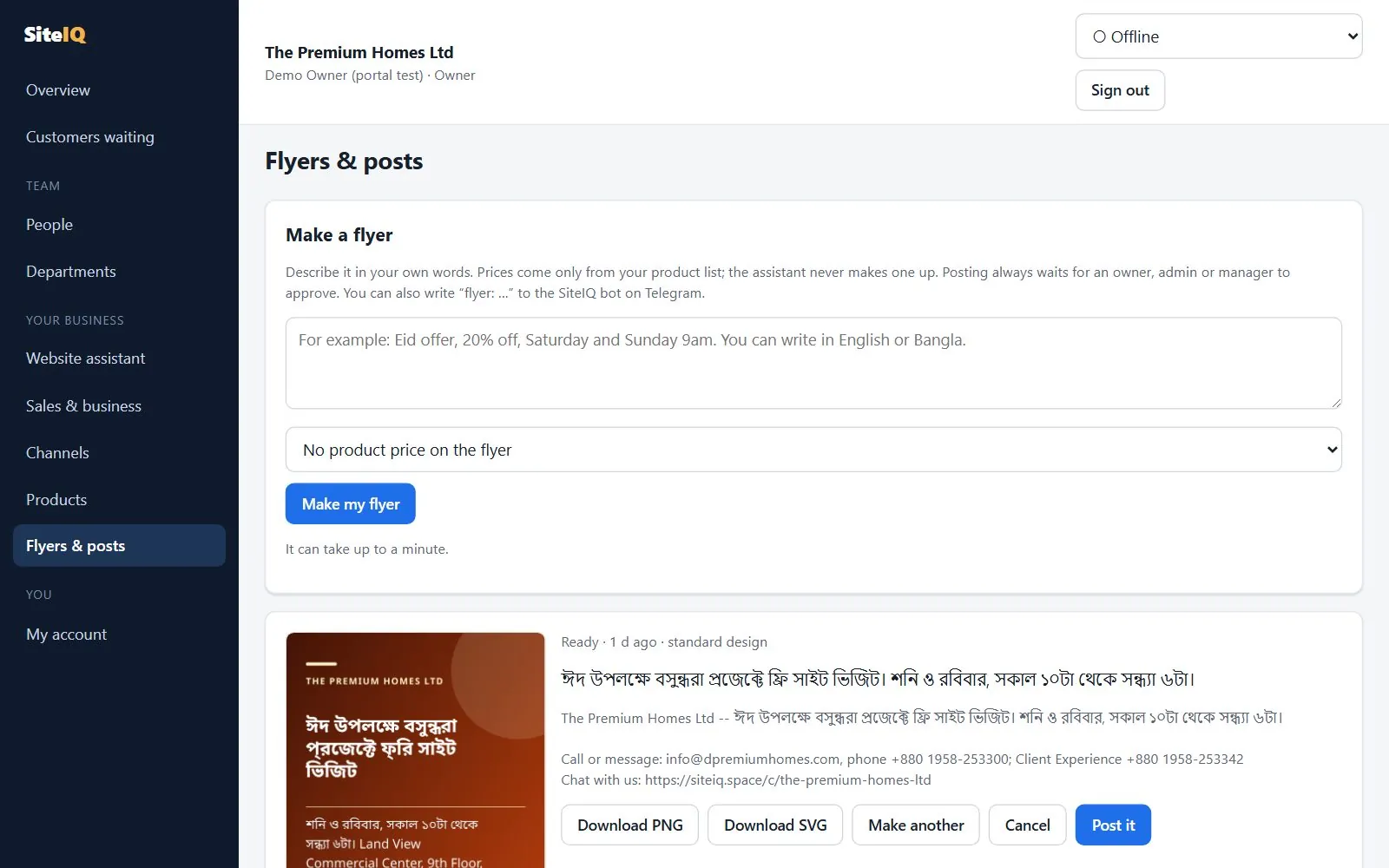
Write one line, such as "Eid offer, free site visits Saturday and Sunday", in the portal or to the Telegram bot. SalesMere makes a print-quality picture with your real contact details. A price appears only if it is in your product list, and every number on the flyer must come from your words or your business details.
Download as PNG or SVG
Post to your Facebook Page as an image, after an owner, admin or manager approves it Needs Meta approval
Bangla text drawn correctly, with bundled fonts
Flyers and posts in the portal.
BanglaEnglish
The chat window
A chat that looks like it belongs on your website. Available
The website chat reads the page it sits on and takes its brand colour, light or dark theme, font, corner style and logo, so it does not look like a stranger's widget. If the page changes its theme, the chat follows. Prefer one fixed look? Choose your own colour and light or dark in the portal, or pin it in the one-line install code.
A friendly welcome in Bangla or English, with an optional language switch at the top. Nobody is asked to pick a language first
A menu button for your customer: their chat history, their orders and payments, a talk-to-a-person button and, if you add one, a link to your app
End this chat closes the session for the customer only. You keep every message; the customer's next message starts a fresh chat, and a visitor who comes back within a day finds their chat where they left it
Optional friendly faces for the assistant (eight robot and chat-bubble designs, off unless you switch one on)
Not changed: Messenger, Instagram and WhatsApp keep those apps' own look
What a customer sees
Your colours, your font, your logo
The assistant's face and the time on each message
Emoji, voice (if you turned it on) and one tap to a person
Doctors, lawyers and consultants
First questions, documents and a client file, kept private. Available · switched on by our team
For a business that consults and receives papers. After a booking, the assistant asks a few first questions and invites the client to upload what you need (prescriptions and test reports, contracts and court papers, agreements). You open one client file in the portal with the answers, the original documents, your private notes and a follow-up date.
Consent first, in Bangla and English, before any answer or upload; clients can add details from the website chat, Telegram, Messenger or WhatsApp
Only you, and the people you name, can open a file; every opening is recorded
The assistant never reads the file and gives no medical or legal advice; the questions are fixed, not written by an AI
Doctors can issue an e-prescription link to the patient; a day-before reminder, with an online-visit link if you offer one
Documents are deleted after your retention period, and you can erase a client on request
Switched on for you by the SalesMere team, not by a setting you could tick by accident; other businesses never see it
It shows how the assistant answers and takes a booking request. It does not replace a doctor, and it gives no medical advice.
QR code
A QR code for your chat, that you can count and switch off. Available
Print one QR code for your shop door, counter or card. A phone camera opens a chat with your business: Messenger, Telegram, WhatsApp or the web chat, whichever you have connected. The code holds a short SalesMere address, so it keeps working if your chat settings change, and you can switch it off at any time.
See how many scans in 7 days, 30 days and all time, and where they went
A scan stores no IP address and no cookie, only the time and whether it was a phone or a computer
Download as PNG or SVG from the Website assistant page
Not available yet: your own logo or colours inside the code, and a code for each table or product
Where to put it
Shop window, counter or receipt
Visiting card or leaflet
Anywhere people ask "how do I contact you?"
Being honest
What SalesMere does not do yet.
So you don't have to ask. None of these are available today, and we don't promise dates.
Channels and apps: not available yet
Email as a channel
A mobile app in the app stores (the portal installs on a phone from the browser, with notifications)
Bulk WhatsApp messages or campaigns
Business tools: not available yet
Live online payments for a business before its own EPS merchant account is approved (test mode until then)
Shopify or Zapier connections (WooCommerce sync is built but not yet proven on a live shop)
Pipeline boards and satisfaction surveys (today: live counts, lead scores and an orders report)
Your own domain name for a website built with SalesMere
Card payment for SalesMere credit (top-ups are by bKash or bank transfer, checked by a person)
See it on your own business.
We can show SalesMere on a demo business, then set it up with your website and product list in a pilot.



From a Facebook comment to a paid order, with you in control. Available
Tag your Facebook posts with the products they show. When someone comments "price?" or "XL ache?", they get one private Messenger reply with the price from your product list and the sizes in stock Needs Meta approval. When they want to buy, the assistant sends a private order page: they choose the size and quantity, see the total, and pay online or choose cash on delivery.